Telegram member invitations
Prepare your member list, destination and inviting account together.
Prepare member lists, destination groups and personal messages. Keep group operations, customer replies and the next follow-up in one workspace.
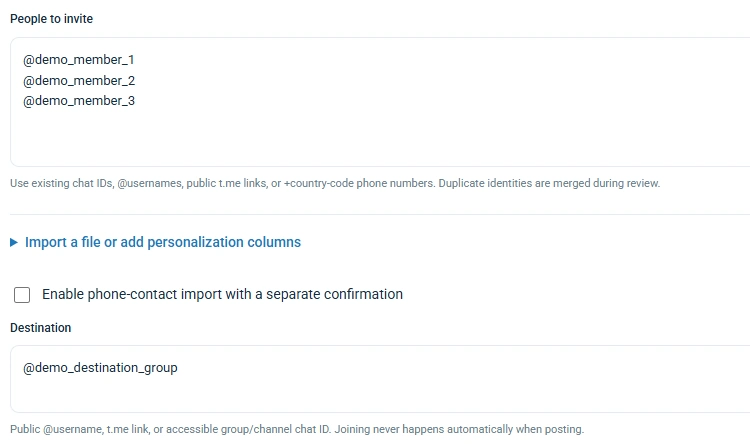
Keep member lists, destination groups, pacing and task review together. Each invitation task uses one user account.

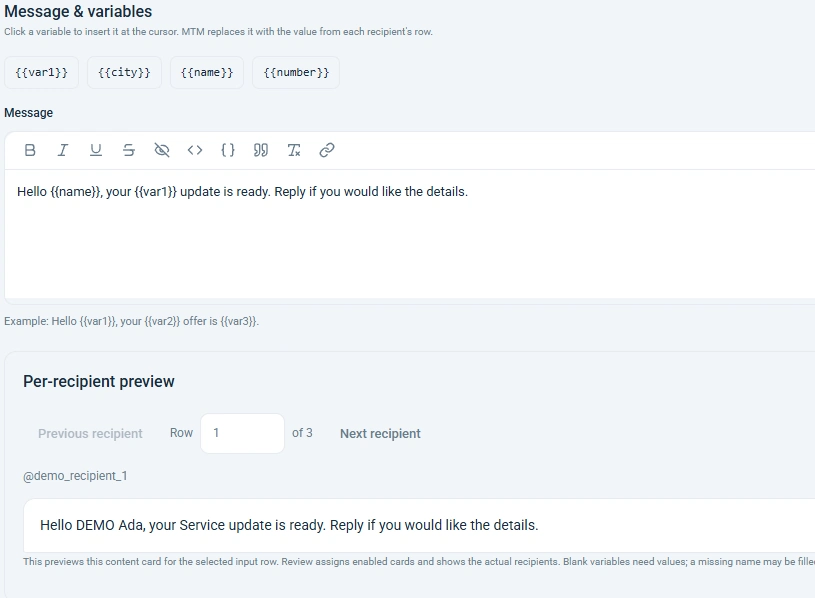
Choose the senders for this campaign, personalize content with names and custom fields, then review each recipient preview.

Prepare public-group and channel work, group updates and the member data Telegram makes visible to your account.
Collect needs through enquiry flows and local records. Schedule the next message or set a private reminder. Preferred appointment time needs human confirmation.

34 feature themes. Enlarge a selling image or inspect its actual application view.
Prepare your member list, destination and inviting account together.
Paste or import a member list and edit it inside the task.
Set the destination and action intervals in the same task.
Use each recipient’s name and imported values in their message.
Import XLSX, CSV, TSV or TXT with each row’s personal values.
{{name}}, {{var1}} and {{city}} come from your recipient list.
Switch recipient rows to check the resolved message.
Select the accounts and categories that take part in this campaign.
Add saved content or template variants to a campaign draft.
Configure text, image or video attachments with personalized content.
Choose round robin or weighted random with action intervals.
Configure an inline result as a reviewable content card.
Choose user accounts and public destinations in a separate task.
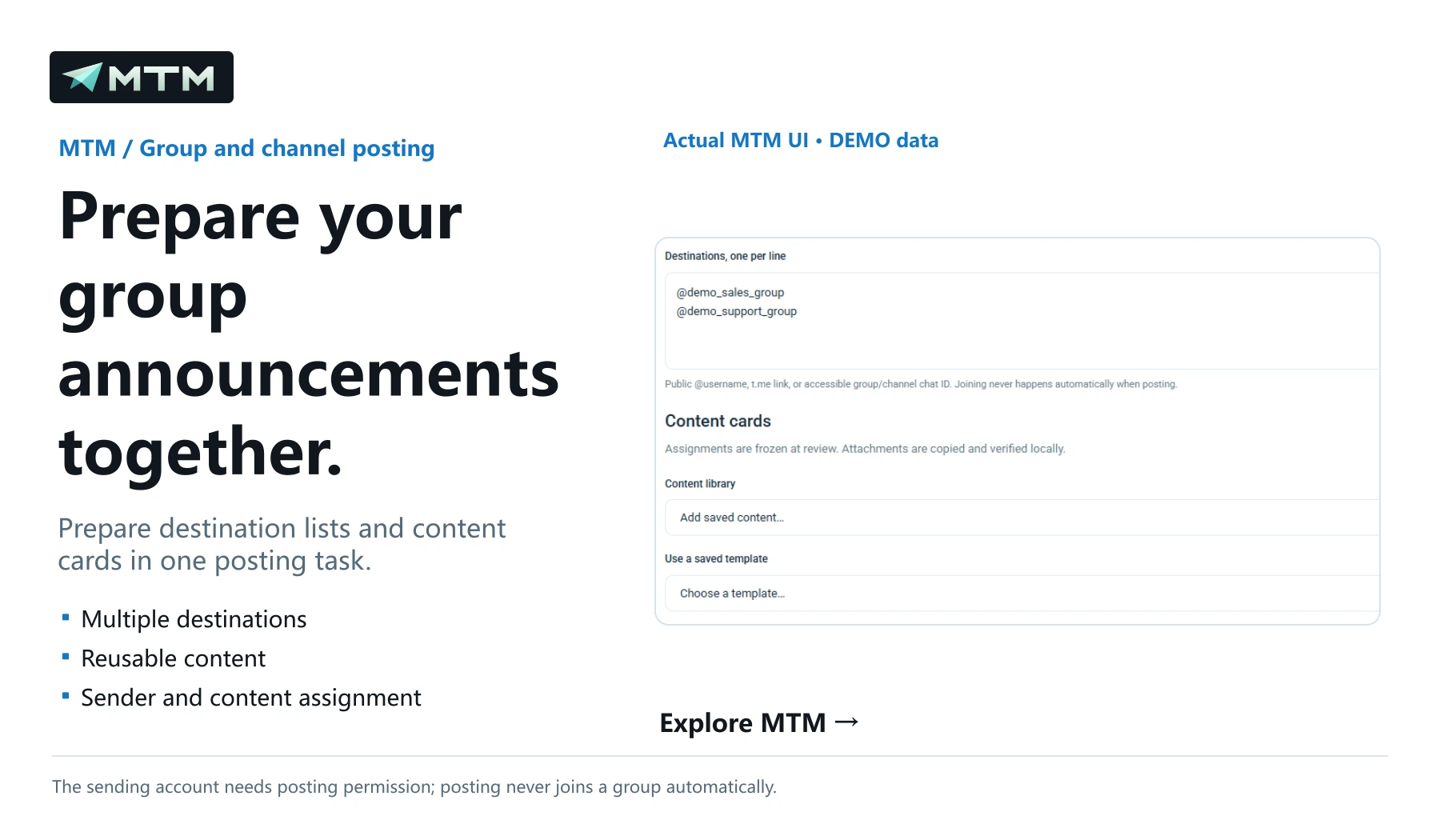
Prepare destination lists and content cards in one posting task.
Prepare CSV or username lists from groups the account can access.
Organize sales, support and campaign accounts and see their states.
Manage conversations by account, category, tag and follow-up state.
Save text, shortcuts and optional image or video attachments.
Save message variants in a template for campaign drafts.
Collect name, enquiry, email and preferred appointment time in sequence.
Trigger replies by keyword or incoming-message number, with steps and delays.
Set reminder timing, follow-up text and timeout handling.
Confirmed answers become local records for your team to follow up.
Answer as the customer and check questions, reminders and record previews.
Connect questions, conditions, waits, records and human handover.
Configure /start, /help and button paths on a menu map.
Author default and language versions for the customer’s Telegram language.
Choose a time or delay and prepare the contact’s follow-up message.
Choose reminder-only mode with a private note for your workspace.
Review names, usernames, bios and photos for each account.
Prepare new relationships, existing conversations or owned-account groups.
Review new chats, replied, no-reply and reply rate by account and date.
Keep conversations, media, tags, replies, rules and campaign records together.
Review queued, failed and uncertain work with per-item actions.
Each product has its own annual license: USD 299/year, one product per key and one computer. Sales are not open. No bundle is offered.