MWM / WhatsApp Operation guide
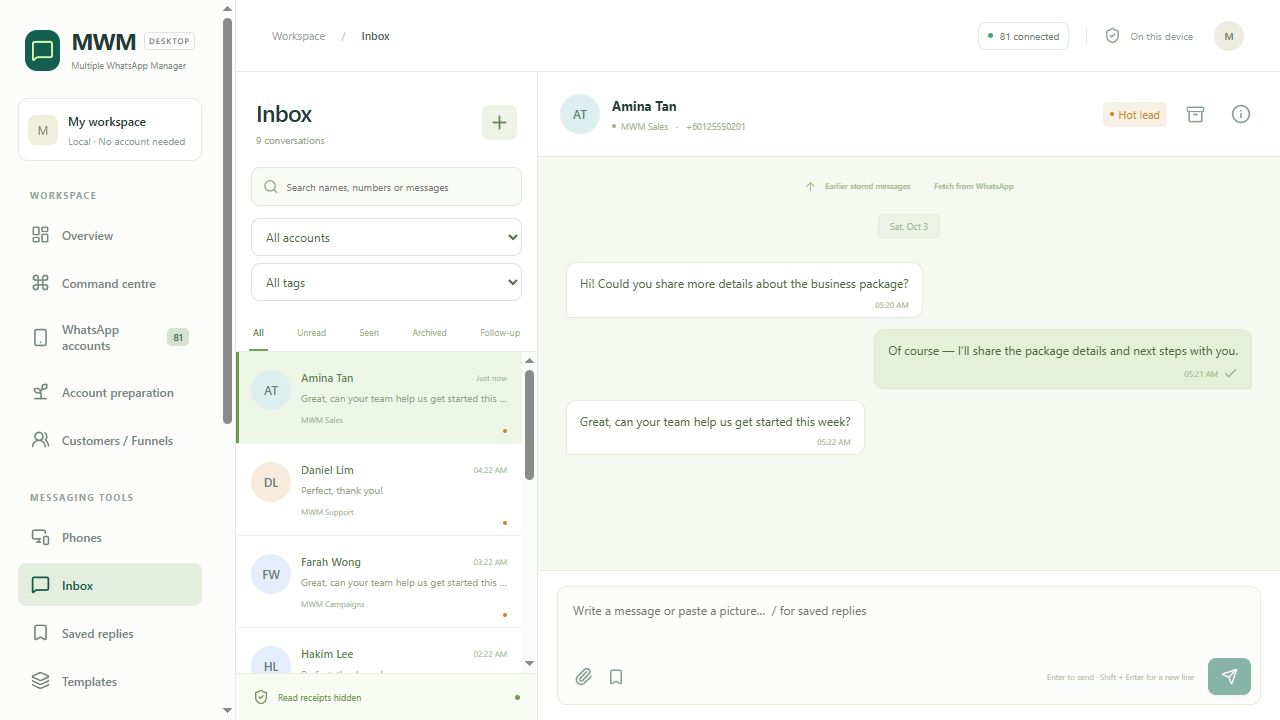
Explore the WhatsApp inbox, customer follow-ups, broadcast preparation and local records.
Workflow steps
Four areas to explore in the local Windows workspace.
Unified inbox
Filter the inbox by account or tag, then open a conversation. Saved replies keep frequently used answers close to the message composer.
Tags and follow-ups
Use contact tags to organise conversations. Review customer and follow-up tasks in their own view; adding a tag does not imply that a task is created automatically.
Broadcast preparation
Prepare a draft and check the selected account pool, recipients and message. Saving a draft does not send it. Review the preview before deciding to start.
Number filter and local records
Check the filter task inputs and use the search, account and date controls in Records. Unavailable profile data alone does not establish a number's type, activity or validity.
See MWM in practice.
Four illustrated guides. Select an image to read it at full size.
Real screenshots with synthetic demo data. The illustrations explain the workflow; they do not show new live activity.